Tutorial
Add a client
Your client gets an email reminder the day before each session, even without the app.
Screenshots are shown in French.
Step by step
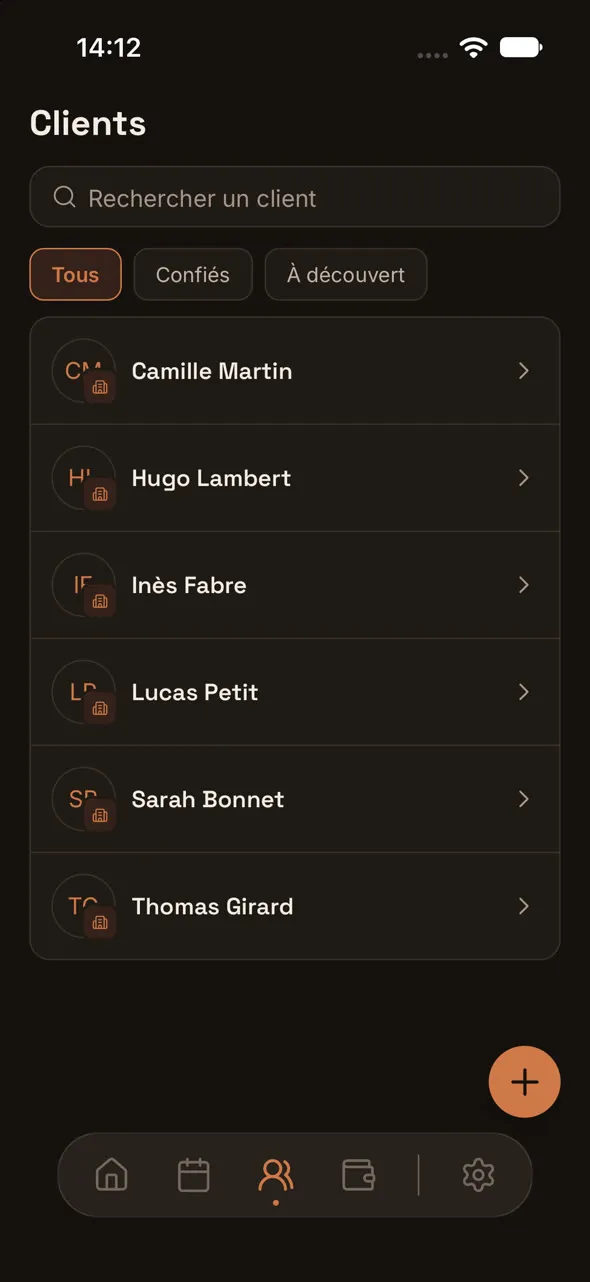
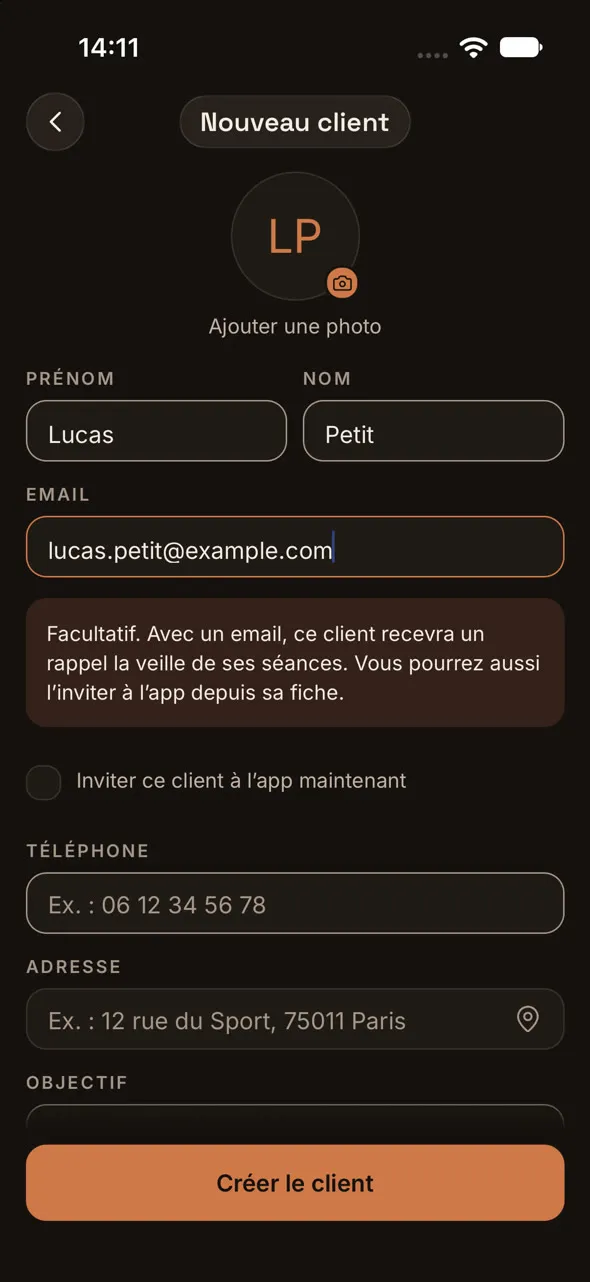
1.In Clients, tap +, then enter their first name, last name and email.
2.Tick the consent box: you confirm you have told them.
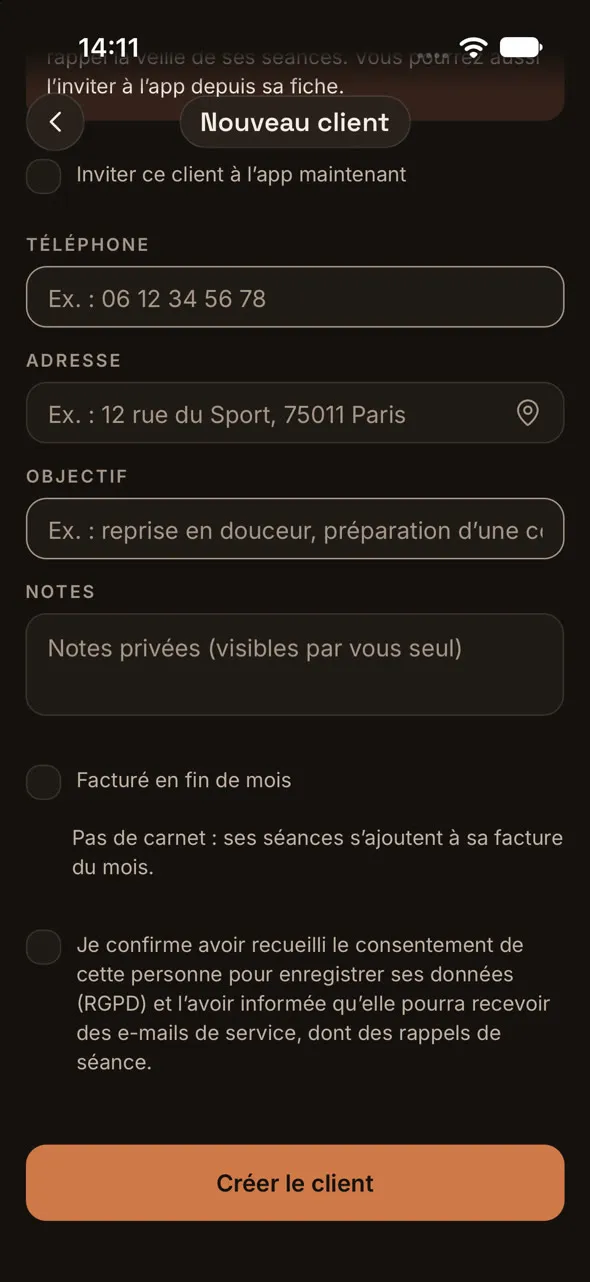
3.Tap Create client: they appear in your list.